A music player that loops and repeats the audio files on your phone
Main features
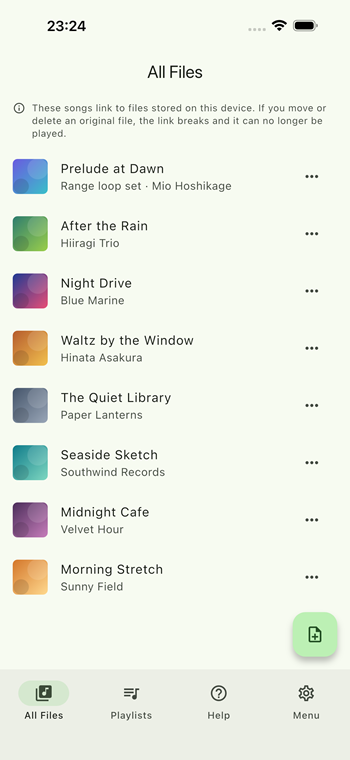
- Play audio files already on your device without copying them
- Repeat an A-B range of a song for practice
- Playlists, background playback and lock screen controls
Download now and listen to the files you already have!

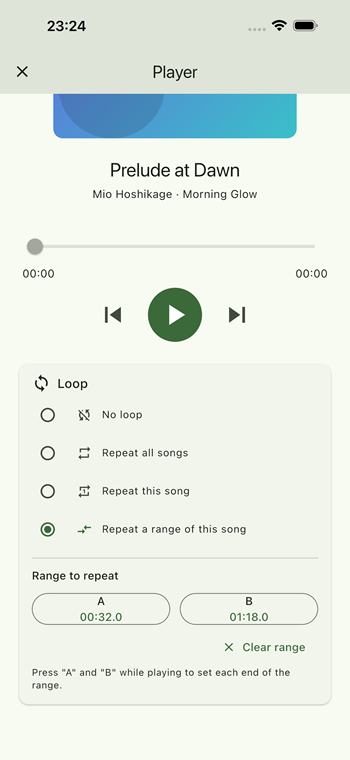
What you can do with the Local Music File Player app
Local Music File Player is a music player app for iPhone, iPad and Android that plays the audio files you already keep on your device. It links to them instead of copying them, so your library takes up almost no extra space on the device. The same app is available on both iOS and Android.
Key features
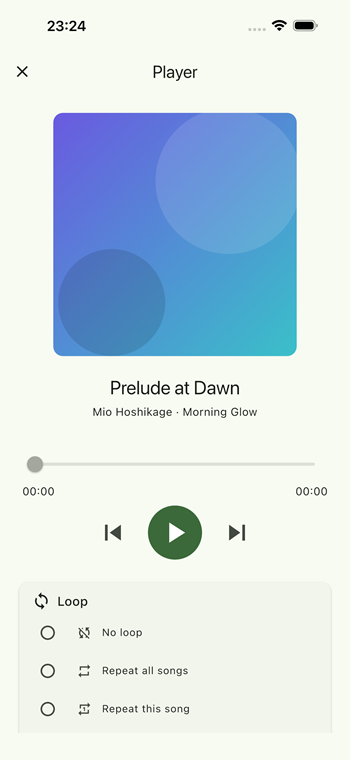
- MP3, M4A and WAV, offline — plays the audio files on your device with no internet connection, and repeats one song, all songs or an A-B range.
- No duplicated files — songs stay where they are and the app only refers to them, so you do not lose storage to a second copy.
- A-B range loop — repeat just one part of a song. The range is saved per song, which makes practising a phrase or a passage easy.
- Playlists — group songs and drag them into any order. Repeat All stays inside the list you started from.
- Background playback — keep listening after you leave the app, and control playback from the lock screen and Control Center.
- Song details read automatically — title, artist, album and artwork are taken from the file's own tags.
Frequently asked questions
Does Local Music File Player copy my audio files?
No. The app only links to the files already on your device, so it uses almost no extra storage. Your files stay where they are on your device. Because it is only a link, moving, renaming or deleting the original file will stop it from playing.
Can I repeat just one part of a song?
Yes. Set point A and point B anywhere in the song and the app repeats only that range. The range is saved per song, so it is still there the next time you play it. This is handy for practising an instrument or studying a language.
Does playback continue when I close the app?
Yes. Playback continues in the background and you can play, pause and skip from the lock screen and Control Center.
Can I make playlists?
Yes. Group songs into playlists and drag them into any order you like. Repeat All follows whichever list you started playback from, so a playlist loops within that playlist only.
How much does the Local Music File Player app cost?
The app is free to download on the App Store and Google Play, and lets you register up to 3 songs. A one-time purchase removes the limit, and you can restore it later with the same store account.