Match Planner for iPhone and Android builds the court assignments for you.
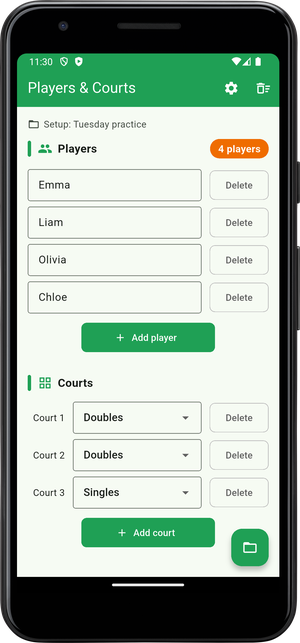
Enter the players and the courts, and it pairs everyone up.
What it does
- Builds each round from your players and courts
- Keeps games and rests even across the group
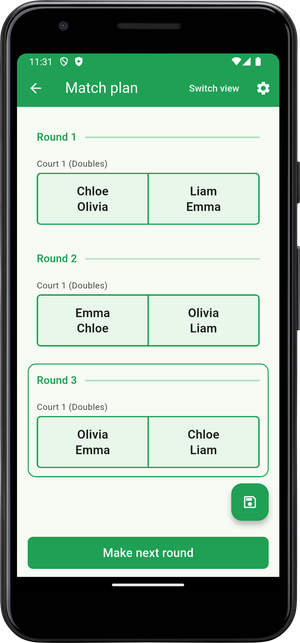
- Shows the round on a court, or as a list to read out
Download it below and give it a try.


What you can do with Match Planner
Every club session starts the same way: someone works out who plays next on a scrap of paper. Match Planner does that part for you. Enter the names, set how many courts you have, and tap OK to get a round that fits the people who turned up. From there, every tap of "Make next round" adds the next set of matches.
Main features
- Fair by design — players with the fewest games, and those resting longest, go on first. When there are more players than places, the rest is shared out evenly.
- New partners each round — the app remembers past partners and opponents, so nobody is stuck playing with the same person all afternoon.
- Doubles and singles together — each court is set on its own, so you can run one doubles court and one singles court at the same time.
- Two ways to read it — the court view puts names on a drawing of the court, ready to hold up and show. The list view is plain rows of Round 1, Round 2, easy to read out loud.
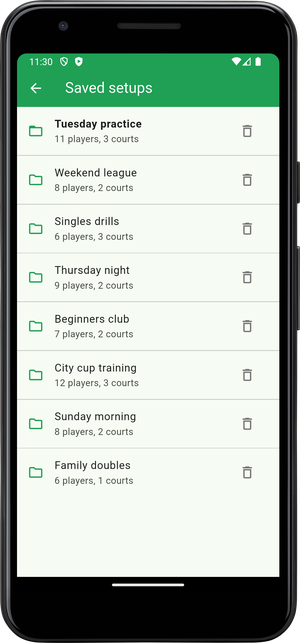
- Save your regulars — give your usual group and court setup a name and save it. Next time, open it and you are ready to play, with no retyping.
Good for
- Tennis, badminton, table tennis and pickleball clubs
- School and university teams, workplace clubs
- Doubles sessions and small tournaments
Frequently asked questions
How many players can I add?
There is no limit. Anyone who does not fit on a court sits that round out, and the app shares the rest out evenly. The names of the players resting are shown under each round.
Can I mix doubles and singles?
Yes. Each court is set to doubles or singles on its own, so you can run one of each at the same time. A court that cannot be filled is left out of that round.
Will I keep playing with the same person?
No. The app remembers past partners and opponents, and mixes people up as it builds each round. It works hardest to avoid repeating partners.
Can I save my regular group?
Yes. Give your players and courts a name, such as "Tuesday practice" or "Weekend league", and save them. Next time you open the saved setup and start straight away. Saving is part of the one-time upgrade.
What is free?
Making matches on one court is free, with no limit on how many times you use it. Using two or more courts, skipping the wait when making the next round, and saving setups are a one-time purchase. Buy it once and it is yours, with no subscription.
Do the names I type leave my device?
No. The names and saved setups stay on your device. The app has no server of its own to send them to.